
Staff Management for Events
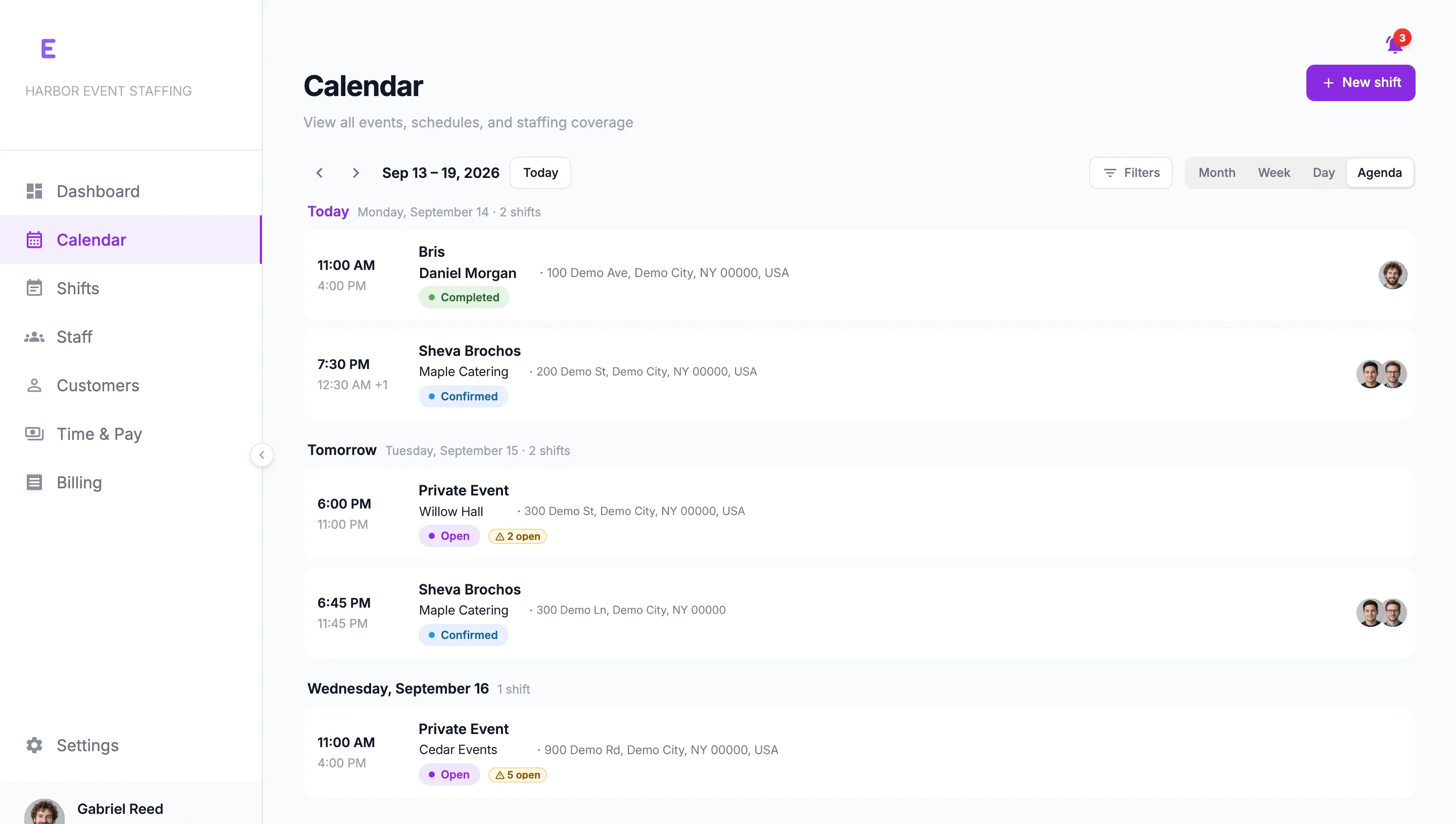
Your team. Every event. In sync.
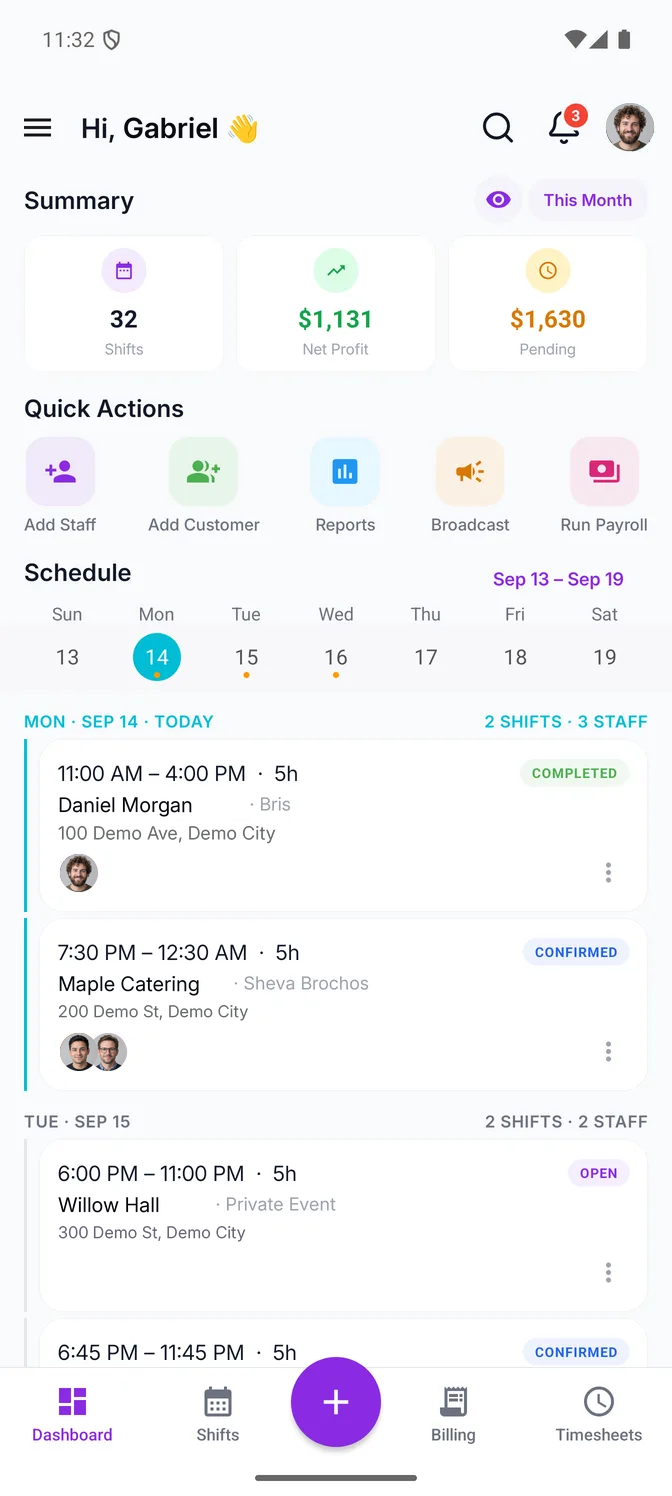
Schedule your team, track worked hours, and manage staff pay and customer invoicing in one place.
Built for the teams behind every event.
CateringVenues & hospitalityEvent organizersStaffing agencies
Keep every shift connected.
Schedules, confirmations and worked hours belong together, so nobody spends the week chasing them across spreadsheets and messages.
01 · Plan and staff
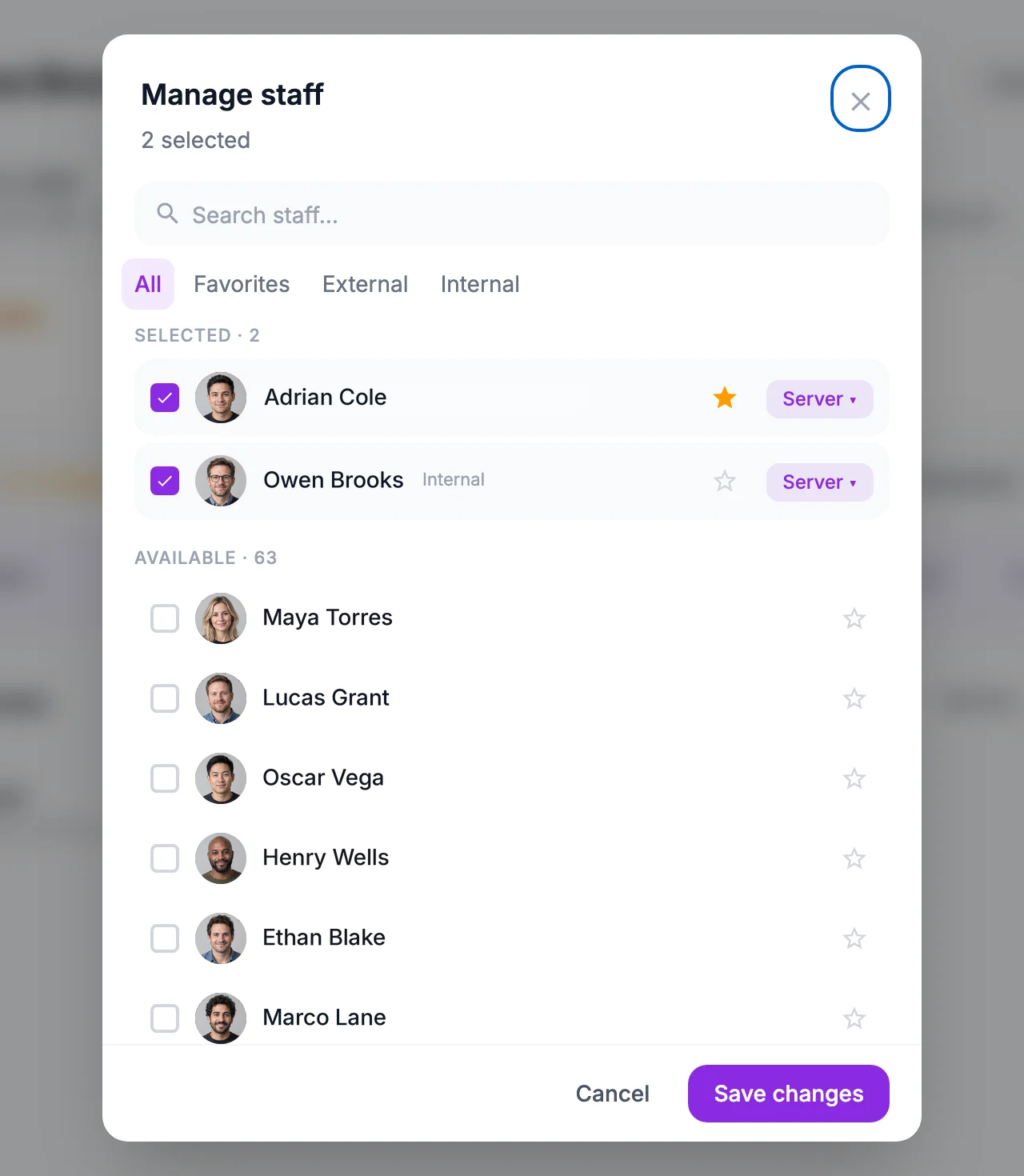
Know who's working.
Invite your team by email or share your join code, then create shifts and assign the people you need — or publish an open shift to your team, review who applies and confirm them.
02 · Record attendance
Capture attendance. Review the hours.
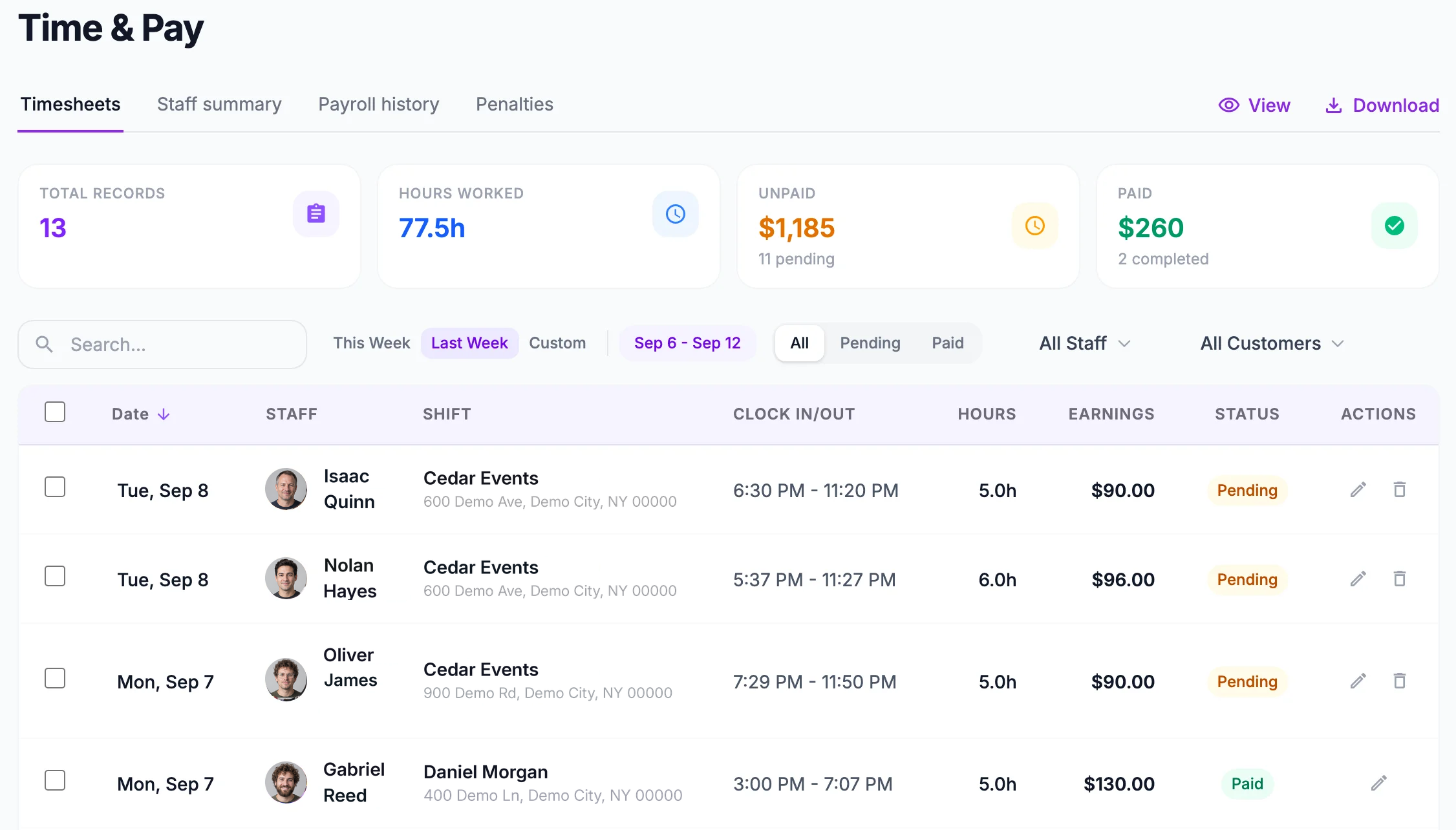
Team members clock in and out from the app, and each punch records the time and the GPS location. The hours land on the shift for you to review and correct.
Keep hours, pay, and billing connected.
Every figure on your dashboard comes from the same reviewed hours — the shifts in a period, your profit on them, what customers still owe you and what your team is owed.

Staff pay
A payroll run records what each person earned — shifts, rate, tips and any deductions — with a pay stub they can open in the app.
Customer billing
Turn completed shifts into a numbered invoice, email it, and track what the customer still owes.
Business overview
Pick a period and see its shifts, what customers still owe, what your team is owed, and profit — what you billed, less what your staff cost.
Customer invoicing and payment records are on Core and up; payroll, pay stubs and profit reporting are on Pro. See pricing.
Your team gets an app of their own.
Give your team the details they need to confirm shifts, record attendance and review their earnings.Explore the staff app